💸 Helping 3000+ jobseekers & Claude just made my job pointless.
I’m not being dramatic. Let me explain. 👇
It was late. I’d finished work, made some coffee, and opened Claude just to mess around. I figured I’d test it on the stuff I’d been doing for people for over a decade — fixing resumes, rewording LinkedIn profiles, working out who to network with.
Twenty minutes later I just sat there. Because it did all of it. For free. In about four prompts. 😳
And honestly? That’s the whole point of this article. There’s no real reason your job search should still be this hard. The boring, repetitive, soul-draining parts? Uncle Claude’s right there to handle them and hand you the answers.
Let me walk you through the exact four moves I’d run today. 🚀
Turn Claude into your personal career service — 4 prompts, zero cost.
Honestly? Most of the job search is boring, repetitive grunt work. The kind a machine should be doing while you sleep. So let it.
I spent over a decade in recruiting. Everything in this guide is stuff people used to pay for. Now it's four prompts. Run them in order, repeat per application, and let the boring stuff handle itself.
Here's the deal — let's go step by step.
Step 1 — Fix your LinkedIn so recruiters find YOU
The goal isn't a prettier profile. It's getting found in recruiter search and turning your profile into something that pulls inbound messages instead of sitting there collecting dust.
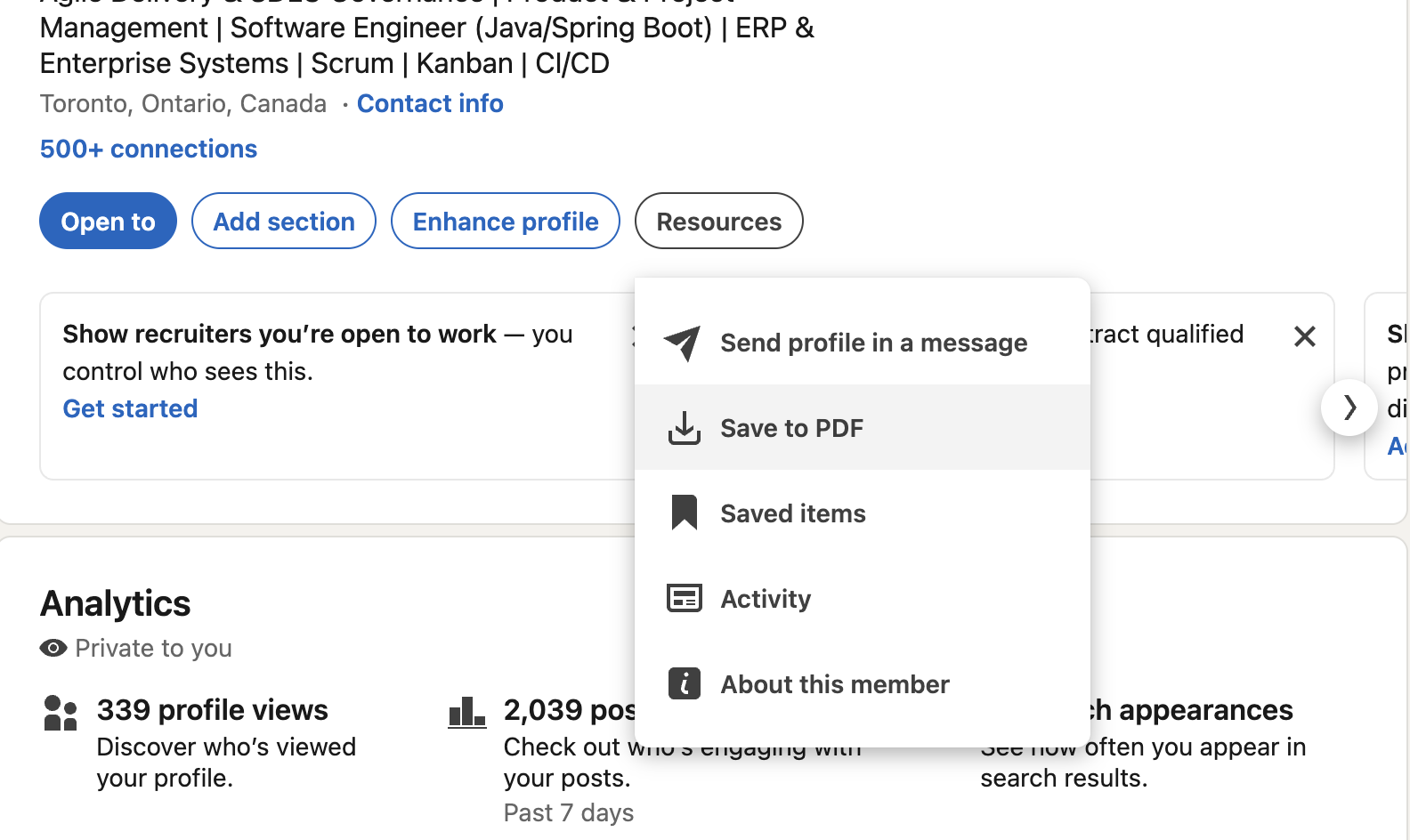
Download your PDF version of your LinkedIn
How to do it:
Go to your LinkedIn profile.
Click Resources → Save to PDF. That PDF is your LinkedIn resume.
Upload it to Claude.
Run the prompt below.
Paste the new Headline and About straight back into LinkedIn.
The prompt:
"Here's my LinkedIn profile saved as a PDF. Audit it against senior [ROLE] job descriptions at [TARGET COMPANIES]. Find the gaps in my Headline, About, and Experience — missing keywords, weak identity framing, and credentials I'm underplaying. Then rewrite my Headline and About to position me as a builder/operator, optimized for recruiter search. Give me 3 headline options and a final About section I can paste in."
Pro tip: Recruiters search by keywords. If the words from the job you want aren't on your profile, you don't exist to them. This prompt fixes exactly that.
Step 2 — Apply first, not last (fresh jobs on autopilot)
Speed beats perfection. Being in the first batch of applicants matters more than a flawless resume sent on day nine. This pulls the newest openings that actually fit you, so you stop scrolling LinkedIn for hours.
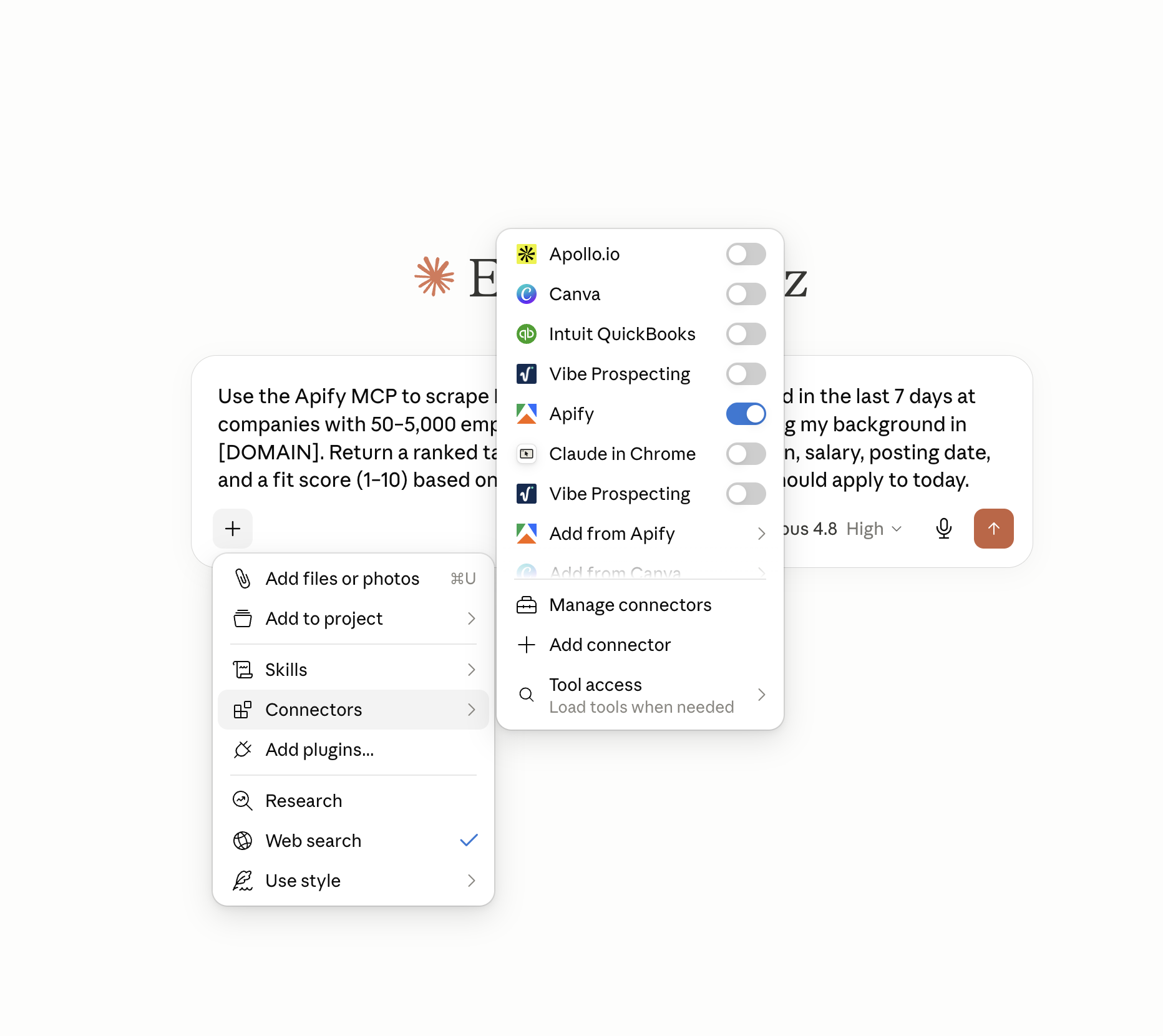
Use Apify in Claude
Setup (one time): You'll need the Apify MCP connected to Claude. Search "Apify MCP," follow their connect steps, and you're set.
How to do it:
Open Claude with Apify connected.
Run the prompt below — swap in your role and domain.
Work top to bottom. Apply to the highest-fit roles the same day.
The prompt:
"Use the Apify MCP to scrape LinkedIn jobs for [ROLE] posted in the last 7 days at companies with 50–5,000 employees. Filter for roles matching my background in [DOMAIN]. Return a ranked table with company, role, location, salary, posting date, and a fit score (1–10) based on my resume. Flag the top 10 I should apply to today."
Pro tip: Run this every morning with your coffee. A fresh top-10 list beats endless scrolling every single time.
Step 3 — Beat the ATS (without sounding like a robot)
A lot of resumes get filtered out by software before a human ever reads them. The fix is matching the language the system scans for — without keyword-stuffing your resume into something a real person would gag at.
How to do it:
Have your resume and the job description ready.
Run the prompt below.
Use the match score to tweak. Re-run it for every new job — takes about 30 seconds.
The prompt:
"Here's my resume and a job description. Act as an ATS parser first — extract every keyword, skill, and requirement the system scans for. Then rewrite my resume bullets to mirror that language naturally while keeping my real accomplishments. Score the before/after match rate and flag any keyword stuffing that would feel forced to a human reviewer."
Pro tip: Never send the same resume twice. One master resume + this prompt = a tailored version for every job, in seconds. You never edit bullets by hand again.
Step 4 — Network smarter with your own data
You already have the connections. You just don't know who to message or what to say. The hardest part of networking is figuring out who can actually land you the next job. Your own LinkedIn data already holds the answer..
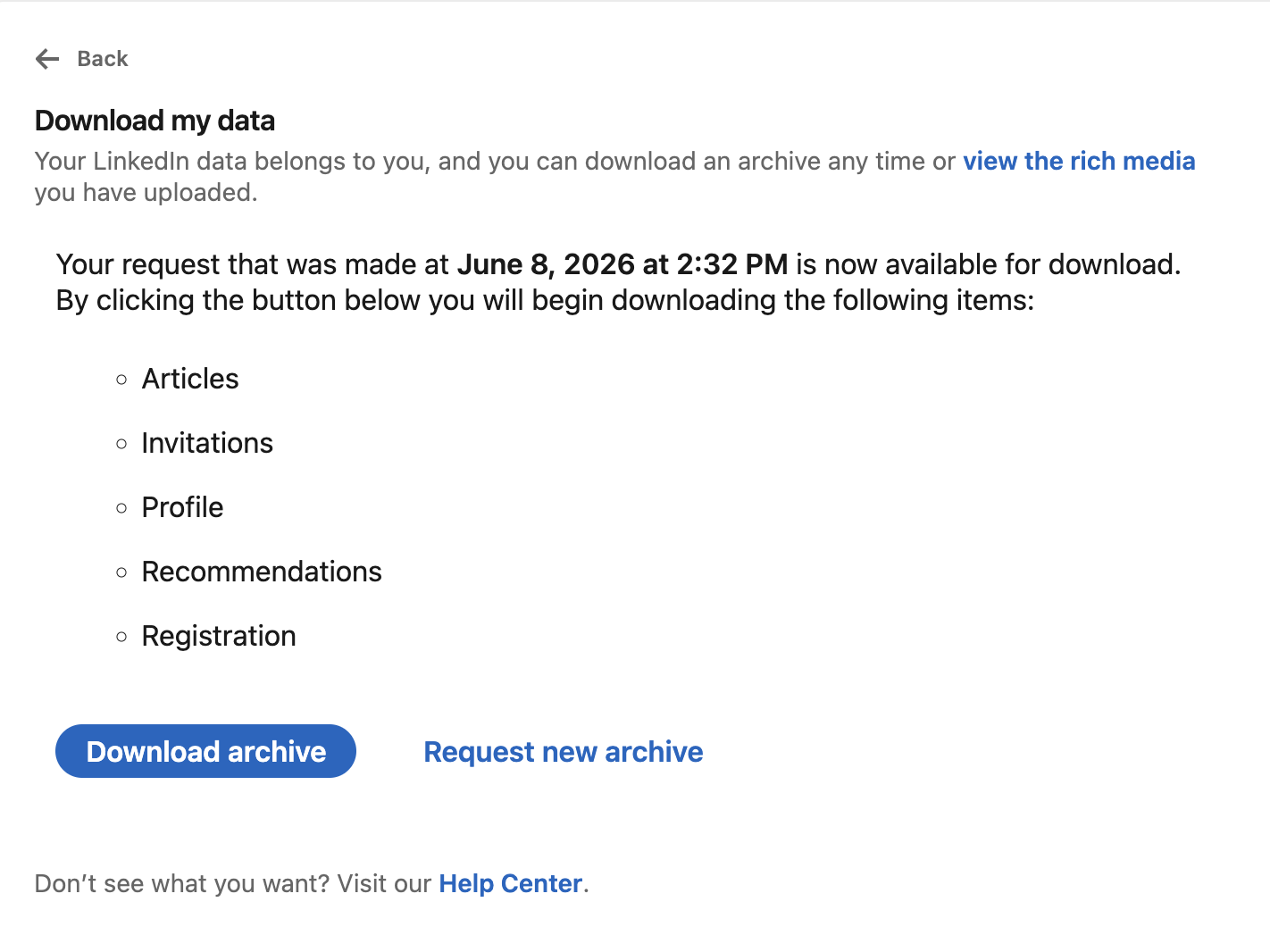
Download your data from LinkedIn
How to do it:
Go to LinkedIn → Settings → Data Privacy → Get a copy of your data.
Download the export. That's your full connection list, your message history, who's actually replied to you — everything.
Hand the export to Claude.
Run the prompt below.
Then just ask it things like: "Who do I know at [company] and what should I say?"
The prompt:
"Using my LinkedIn connections export, build a reusable skill that takes a target company and returns: (1) my 1st-degree contacts there, (2) 2nd-degree paths with warm intro routes, (3) a personalized message template per contact based on our shared history. Save it as a skill I can rerun for any company."
Pro tip: A warm intro through someone you already know beats a cold application almost every time. This finds those people for you instead of you guessing.
That's it — a full career service in four prompts.
Run them in order. Repeat per application. Let Claude do the boring stuff so you can focus on the conversations that actually get you hired.
If this helped, follow me for more — I break down one of these every week.
Peace.