Get $5,000 of Work Out of Claude (Without Running Out of Limits)
The boring 10-minute setup nobody teaches you, plus a way some of you can get the top $200 plan for free.
Look. For the better part of this year, my team and I have been building with Claude over at Eduspace. We use it for pretty much everything: writing code, drafting content, and shaping the product itself. Most days, morning till night.
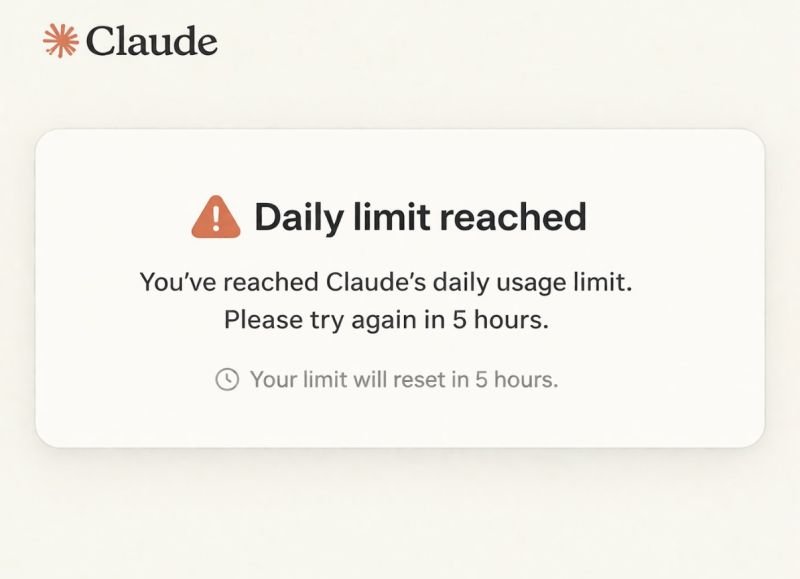
And almost every week, the same little message would pop up and stop us cold: "You've reached your usage limit."
You know that feeling. You're in flow, the ideas are moving, the work is finally clicking, and then the door just shuts in your face. So we did what most people do. We assumed we'd outgrown the plan and needed to throw more money at it.
Then I sat down and actually looked at how we were using it. And the plan was never what held us back. We were burning through it on work that should have cost us next to nothing.
Once I worked out a few tricks, the same plan started going way further without us paying a cent more. We'd just stopped wasting it.
So whether you're building a product like we are, or building your way into a job, this is the stuff I wish someone had handed me on day one.
The biggest leak was the most boring one
Here's the deal. Every time you hit send, Claude re-reads the entire conversation before it answers. The whole thing, top to bottom.
When a chat is short and clean, it's reading one clear page, so it stays fast and sharp. When a chat is two weeks of code, half-written docs, and abandoned ideas all piled into one, it's re-reading a phone book every single time. That makes it slower, more confused, and it quietly burns through your usage for worse answers.
We were the worst offenders. One of our chats had been running for weeks with about six different jobs crammed into it, and we couldn't work out why the replies kept getting vaguer.
People wrap this up in words like "tokens" and "context windows." You can skip all that. Just picture a desk. On a clean desk you find anything in a second. On a desk buried under months of paper, you waste ten minutes hunting for a pen. Claude has a desk too, and you decide how messy it gets.
So before you ever reach for a clever prompt, ask yourself one thing: how old is the chat you're working in right now, and how many different jobs is it carrying?
The fix is almost stupidly simple.
One thread, one job
That's the whole rule.
Your CV lives in one chat. Each new cover letter gets its own. Company research before an interview gets another. The moment you switch to a different task, you start a fresh chat.
And when something's finished, or a chat has gone in circles arguing with you, don't fight it back to life. Open a new one. Paste in a two-line summary if you need to carry something over, and keep moving.
That one habit will do more for your results than any clever trick you've been hunting for.
Now go build the workspace 🛠️
A clean chat is just step one. The real move is to stop starting from zero every single time. Claude has tools built for exactly this, and almost nobody who needs them is actually using them.
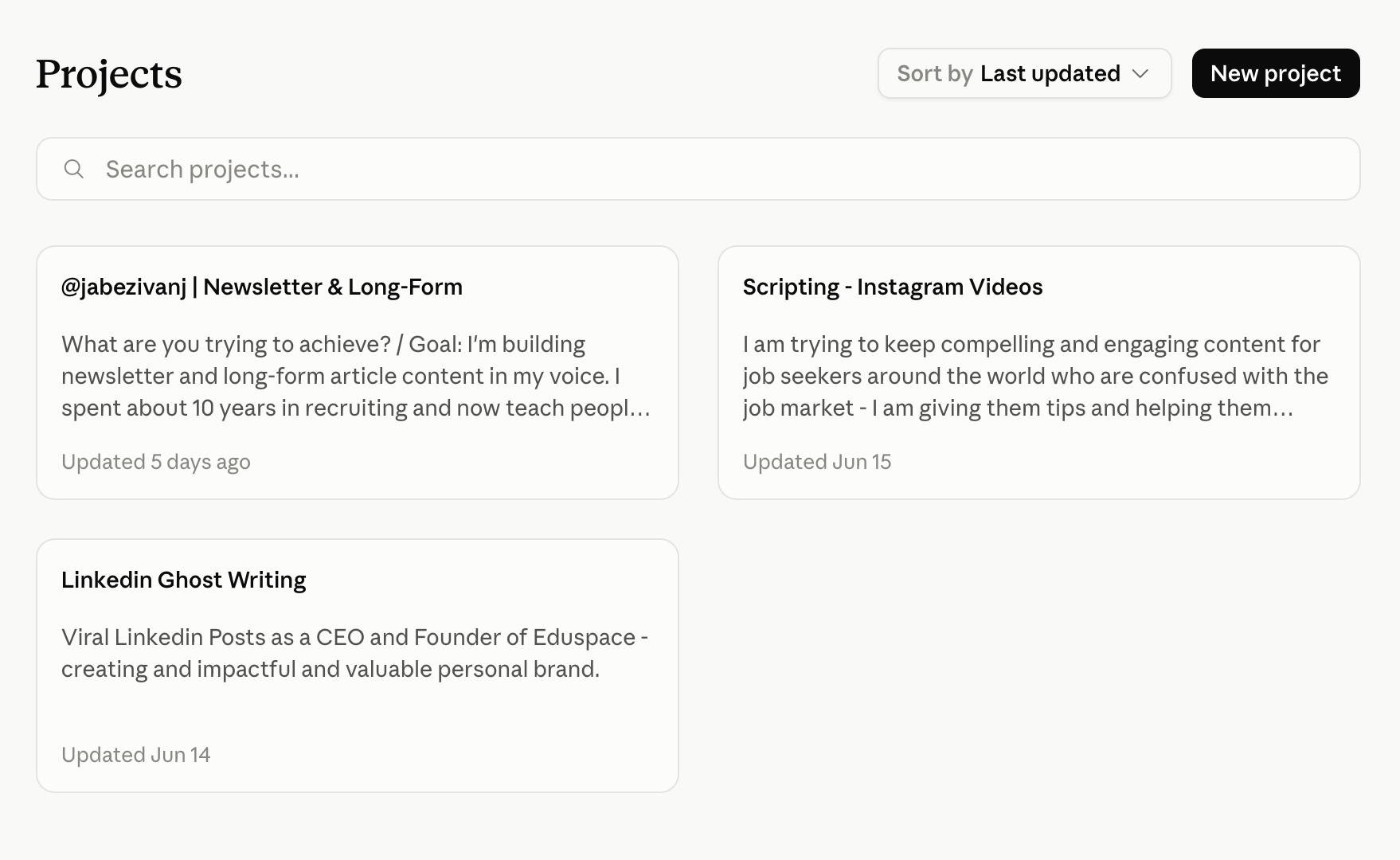
Projects. Think of a Project as your job-search command center. You load it once with your CV, your best stories, the kind of roles you're chasing. From then on, every new chat inside that Project already knows you. You open a chat and skip straight past the part where you re-paste your CV and re-explain your whole situation for the hundredth time. It already knows you.
This single change saves more time, and more of your usage, than any prompt ever will.
Custom Styles. You know that stiff, over-polished smell that screams "an AI wrote this"? Recruiters catch it instantly. Custom Styles kills it. You teach Claude your voice one time. Paste in a few things you've actually written, tell it how you really talk, and from then on your cover letters and LinkedIn posts come out sounding like you on a good day, instead of a press release.
Artifacts. When Claude writes your CV or a cover letter, it opens in a panel off to the side. That panel is an Artifact. Stop asking it to "write the whole thing again." Just edit the one in front of you. Tweak a line, tighten a bullet, or soften the tone. You keep one clean version that keeps getting better, instead of ten messy ones you've lost track of.
Web search. Switch it on whenever the answer depends on right now: what a company just announced, what a role actually pays, or who just raised money. Left off, Claude works from memory. Switched on, it goes and checks. Before an interview, turn it on every time.
Quick gut-check: when's the last time a cover letter you sent actually sounded like you?
Three tiny prompts that fix lazy answers
You don't need a course on fancy prompting. You need three lines. I lean on these constantly, and they work whether you're writing a cover letter or shipping code.
"Ask me 3 questions before you start." For anything vague. Instead of guessing and handing you generic mush, Claude pulls the real details out of you first. Your cover letter goes from "hardworking team player" to your actual story.
"Give me 3 options, then tell me which one you'd pick." For decisions. A LinkedIn headline, a way to frame a career gap, a subject line for a cold email. You get real choices and a recommendation, not a wall of text to sort through yourself.
"Think through the trade-offs first, then give me your answer." For the harder calls. Apply now or wait for a referral? Take the smaller title at the better company? This makes Claude reason it out properly instead of blurting the first obvious thing.
That's the whole kit. Save them somewhere and reuse them forever.
For the builders reading this 👨💻
If you write code, this next part is where Claude stops being a chat window and starts being a teammate.
Claude Code lives in your terminal. It reads your actual files, edits them, runs commands, writes tests, and explains the messy code you inherited from someone who left two years ago. It's the difference between asking a stranger for directions and just handing them the wheel.
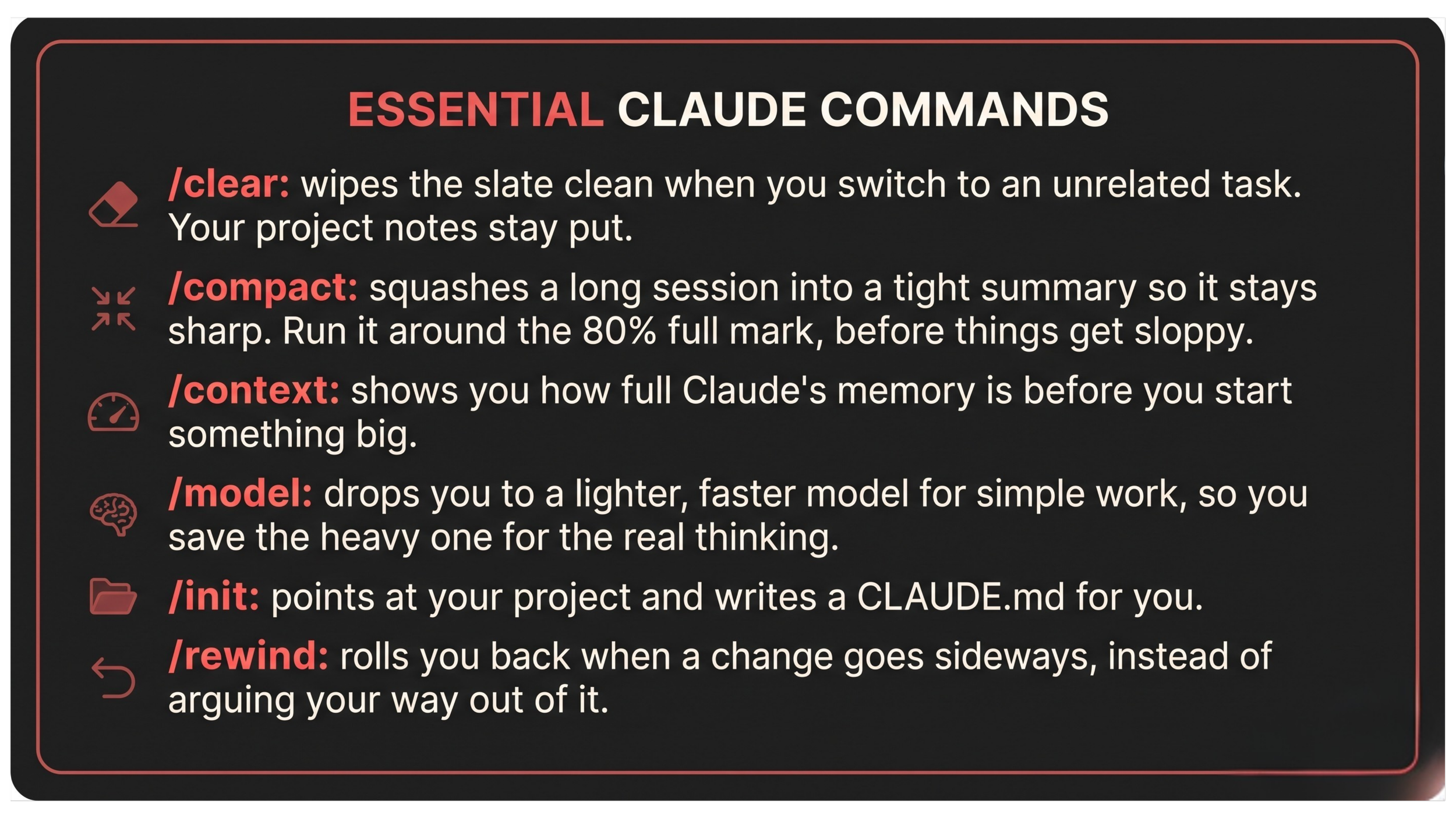
But it gets messy and expensive the same way that giant chat did. So you manage it like an engineer, with a few commands:
Then there's the single most useful file you'll ever make.
CLAUDE.md. It's a short notes file Claude reads at the start of every session in your project. What the project does, how to run it, your coding style, and the mistakes you don't want it repeating. Keep it under roughly 200 lines, because it loads every single time, and a bloated one quietly eats the very memory you're trying to protect. Treat it like onboarding notes for a brilliant junior developer who rejoins your team every morning having forgotten everything from yesterday. The better the notes, the less you ever repeat yourself.
The part almost nobody knows about 🚪
Now for something genuinely wild. That top-tier plan everyone talks about, the $200-a-month one? A lot of people are using it right now, completely free.
Anthropic runs a program called Claude for Open Source. If you maintain, or seriously contribute to, an open-source project the world quietly runs on, the kind of code sitting silently underneath thousands of other apps, they'll give you six months of the top plan free. That's the $200-a-month tier, no charge, for half a year.
The bar is real. Think projects with thousands of GitHub stars, or packages other developers download by the million, or quieter tools that a ton of other software secretly depends on. Spots are limited and reviewed on a rolling basis, so if this is even close to you, don't sit on it. Go check whether it's still open and whether you qualify at claude.com/contact-sales/claude-for-oss.
And if you're a developer in the middle of a job hunt, this is a double win. Free firepower to keep your projects sharp, and a real line for your CV and LinkedIn. You maintain open-source software serious enough that Anthropic itself backs it. Recruiters notice that kind of thing. I know I did.
So here's where I'll leave you
The people pulling real value out of Claude aren't doing anything genius. They set it up like a workspace, on purpose, and build everything on top of that: a Project for their search, their own voice saved once, and a clean chat for every job. Small, boring habits that stack up until the tool feels like it has no ceiling.
And honestly, your job search runs the exact same way.
Nobody hands you a finished career. You build it, clean step after clean step, until the search that felt completely stuck finally starts to move.
So go set it up. Build the workspace. Then point it at the only thing that actually matters here: getting you hired.
If this helped, follow along on insta - @jabezivanj.
I put this kind of thing out every week, the stuff that actually moves your job search and none of the BS. Subscribe so the next one lands in your inbox, and send this to that one friend still fighting their AI inside a single giant chat.
Peace. ✌️